MCP server for AI agents
Mockivo MCP: your AI agent runs the studio.
Tell your agent “set up my store”. It submits your store, answers the setup questions with you, makes variations from your brand kit, orders photoreal renders and checks what’s ready, without you opening a dashboard.
Access comes with a Mockivo account. Accounts are by invitation for now.


Example chat
What it looks like
An example conversation. The store, products and results are made up.
Why a 3D studio is a good tool for agents
- 01
Settings, not prompts.
An agent changes a real parameter (warmer light, closer camera) and gets exactly that change. Nothing else moves.
- 02
Same settings, same image.
Results repeat, so an agent can compare variations fairly and learn from your ad data.
- 03
Always the exact product.
Your agent can make a hundred variations without one of them drifting off-brand.
- You
Set up my store. This is my URL: example-mugs.com
- Agent
Connecting to Mockivo… Reading example-mugs.com.
Found your products, logo, brand fonts and color palette.
- Agent
Setup started. Two quick questions while it runs: should I start with the white mug and the magic mug? And which look fits your brand?
- You
Yes, those two first. A warm, cozy kitchen. No neon.
3D models: in progress · Scenes: in progress
- Later
Setup ready: 2 products in 3D, 3 scenes in your style.
- You
Show me the white mug with our logo.
- Agent
Here are 4 variations.
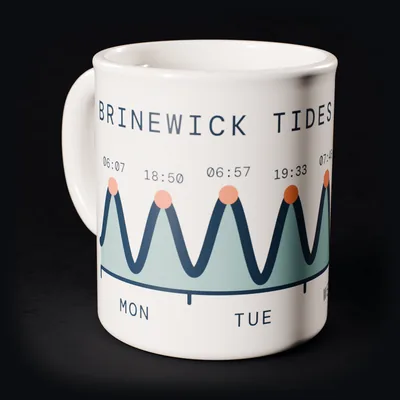 1
1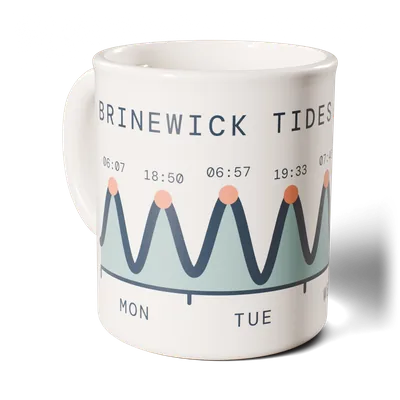 2
2 3
3 4
4
- You
Number 3 is good. Make the light warmer and move a little closer.
- Agent
Done. Same mug, same design: warmer light, closer camera. Nothing else moved.

- You
Perfect. Make it a photoreal render, 4:5 for Instagram, plus an 8-second turntable.
- Agent
Ordered. Both are in your deliverables queue.
- You
What’s ready?
- Agent
Deliverables: photoreal photo (4:5): ready · turntable video (8 s): rendering.
Open deliverables → - A week later
- You
How did last week’s ads do?
- Agent
I read your ad results. I tried 8 variations last week, and this one won: close-up, warm light, kitchen. I’ll make 8 more like it, with new angles and new copy.
- You
Go.
- Agent
8 new variations are ready for your review.
Capability map
One server between your agent and your studio
Your agent talks to one Mockivo MCP server. The server runs the studio tools for you.
read_store()Read your storeProducts, logo, fonts and colors from your URL.build_models()Build 3D modelsYour products in true 3D, ready for any scene.make_variations()Make variationsNew scenes and looks from your brand kit.edit_scene()Edit settingsLight, camera, lens, text. Change one, keep the rest.render()Render photos and videosPhotoreal stills and turntables in each channel’s format.deliver()Check and deliverFollow the deliverables queue and pick up finished files.
- 01
Connect and authorize
Add the Mockivo MCP server to your agent and authorize your Mockivo account.
- 02
Talk in plain words
Your agent turns “warmer light, closer camera” into real studio settings. Change one, keep the rest.
- 03
Close the loop
With your ad platforms’ MCPs connected too, your agent reads what performed and makes more of what won.
Capabilities
What your agent can do
- 01
Connect and authorize with your Mockivo account.
- 02
Submit your store and check the setup status.
- 03
Answer setup questions about your products and style, so nothing is guessed.
- 04
Make variations from your brand’s knowledge base: your products, scenes, fonts and copy.
- 05
Order photoreal renders. Photos and videos, in the formats each channel needs.
- 06
Check the deliverables queue: setups, new models, new scenes and renders, with their status.
- 07
Add products and ask for new scenes, then make marketing material with them.
- 08
Connect ad results to the loop: add your ad platforms’ MCPs (Meta, Google, TikTok) to your agent. It reads what performed, then makes more of what won.
Who it’s for
Founders running several brands
whose agent tests visuals for each one.
Marketers and agencies
who already work through AI agents.
Developers
building agents for e-commerce.
Frequently asked questions
Which AI agents does it work with?
Any assistant or agent framework that supports MCP, such as Claude, ChatGPT, Cursor or Antigravity.
Do I need the MCP server to use Mockivo?
No. Everything works in the Mockivo studio. The MCP server is another way in, for people who work through agents.
Can my agent read my ad results?
Your agent connects to your ad platforms through their own MCP servers, with your permission. Mockivo makes the creatives; your agent brings the results together.
Bringing your store to life.
Want your agent to run your studio?
Requesting access takes about two minutes. Building agents for e-commerce? Tell us in the last step.